0:00Hello everyone. In this video, I want to present you a new feature which we have implemented to our system and that call it partner network. Using this option, you will be able to connect with your partners who also use our cortical dispatch software and will be able directly assign and share your bookings between your connected partners. Uh so uh you will not need to find the partners, no calls, no WhatsApp groups and messages, no any mono entry work. Uh and booking will share it uh in a second. Uh plus you you will be have the same booking in your system. you will be take everything uh in your control. The customer will receive the notifications from your company uh and will not know that uh another company your connected partner will make this booking for him. So let me present how it’s work. First of all in the integration section we have added a new option partners network. So when you will go here you will see your personal secret token key.
0:49Let’s copy it. As you can see at this moment we are placed in uh one system and uh we also have another system. So this is a taxi new system. This is a taxi maxipal system. So here’s the kodical logo. Here’s another system with another logo. So this is a taxi new system. This is a taxi maxipal. So let’s copy uh my taxi maxipal uh token k and let’s go to the uh my partner system. Go to the companies and find my company. So first of all, you need to add your partner company into your system. I already added uh my partner. Here’s the taxim maxipal with my logo with my phone number, email. Here’s the commission. Uh so now let’s let’s make the connection. go to the company settings and here’s the new block partner network and let’s add the token and connect.
1:35Okay, we see that connection is successfully done. Uh we see the green light. So now we need to make the same options with the taxi maxipal. So let’s go to the integrations uh in a taxi new system. Let’s copy the token K and now go to the another system and connect with it. So here is that uh this partner we have a 25% commission. So let’s go and connect it. Let’s put the token K and click the connect button. Okay. Now the boss system uh is connected. So if I will go to back to the integration partners network. I see that partners connected to to me. It’s a tax new maxipal uh admin company and partners connect I connected to the taxipal. So here I can manage all my connection. I can disconnect or remove my connection. Uh the same here. Let’s update the page. And we see that we have the boss connection. So taxi new is connected to me. Uh I am connected to taxi. So now we can share the booking between our system. So let’s go to create a new booking.
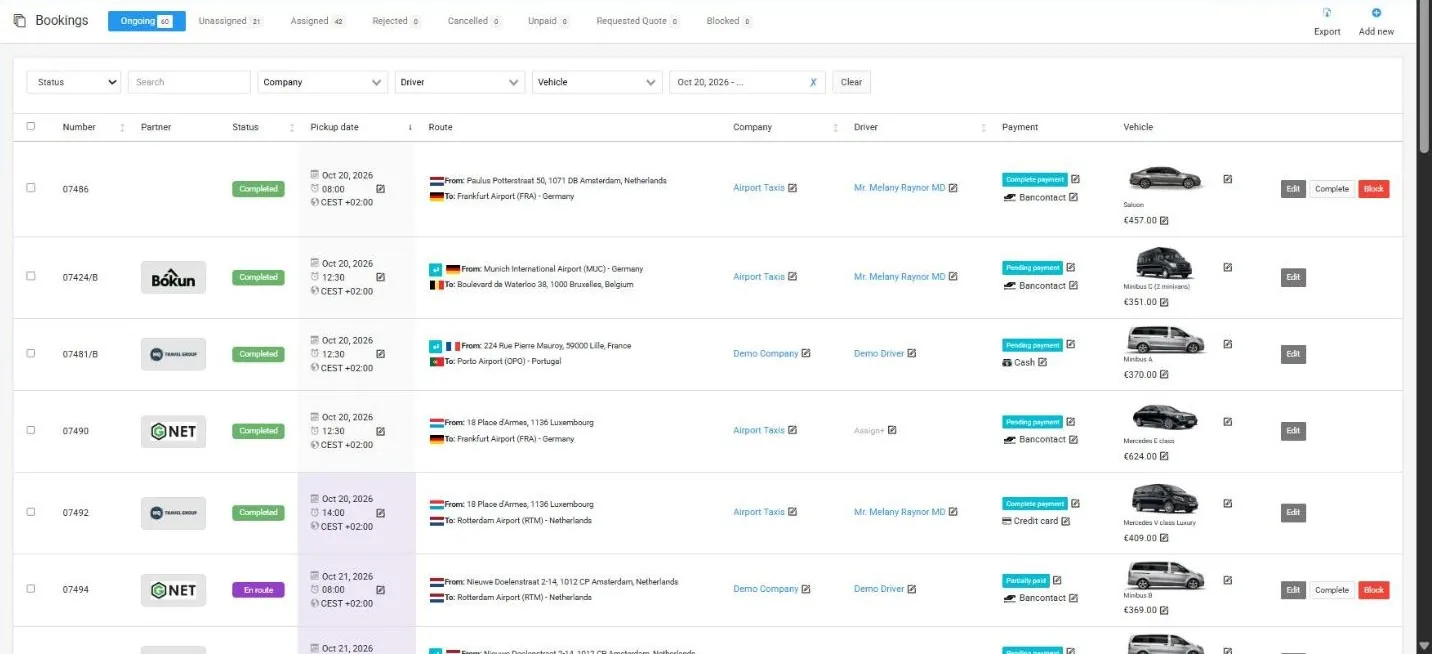
2:34Add new. Let’s choose some date. Let’s choose locations. For example, from Brussel airport to Brussels city center. Let’s say let’s say two passengers. Let’s choose a client. Okay. Let’s choose a company. Here you can see your connection connected partners with a special icon. So you this will provide you easy understand what kind of partner is connected to you and what kind of is not. So let’s choose a taxi partner. Let’s choose a vehicle type and let’s uh set up the payment methods. So for example, this booking cost is €200. Uh my commission is 50. Payment is credit card. And let’s say that payment is complete. Okay. Now let’s save the booking. And if we will go to the assigned we see that the booking number uh 1 s share it to admin company and uh if we want we can reclaim the booking back. So for example if the situation when my driver is uh uh empty now and he can take this booking I can reclaim until my partner will not accept this booking I can recline it back and make this booking myself. Okay we are in a maxipal system. Now let’s go to the taxi new system. Go to incoming bookings and we see that shared from taxi maxipal corporation. We see the same booking shared from taxi power corporation. So here I see the shared to admin company.
3:47Here I see shared from maxipal and I can check the details. I didn’t see full addresses. I didn’t see the road. I didn’t see the customer details until I will not accept this booking. I see just a list of my companies, my partners and I can choose the driver and accept this booking. Let’s accept it. Perfect. So now if I will refresh the page I will see the booking is gone and it’s going to ongoing bookings. Here is it. So I already see that this booking assigned to my company and assigned to my driver. So and when and now if I will click on the details I will see only now I will see the full address. I will see the customer details because I already accepted this booking. If I will check the same booking in the original system where customer created this uh uh this job. Yeah let’s update just a second. We see that uh the admin company has uh taken this booking. Okay.
4:40So admin company has taken this booking and I can rec uh can take it back because the partner is already uh accepted. Okay. Now let’s complete this booking. Let’s complete it. Okay. The booking is completed. If I refresh it here, we’ll see that it’s gone here. And if we will go to jobs, we’ll see that it’s it’s completed here. We see that uh assigned company is a taxing. The important things that customer will receive all email notifications from original system not from the partner system. So for the customer it will be uh the the same process like the original system making this booking his booking. So he will receive the uh reminder uh email from the original system he will receive the confirmation email from the original system and all other emails all notifications will going from original system for the customer. So the customer will will not know that uh some another partner is making his his booking. Uh he will just uh receive a correct driver um contact details and uh partner partner office phone number for emergency calls. That’s all. All other information will be from original system and customer will not we just provide him the correct phone number the uh phone number of the drivers who will make his booking because for example if he will not find the driver in the airport he will be able to contact with with the driver with the correct driver. Okay we have finished the bookings. Now let’s check how the system calculates the
5:55commission. Okay, we see that we have a connected partner taxi new. Let’s click the commission section. And here we see our booking. The booking number one is the booking total booking amount at two 200. Uh my commission is a 50 and partner company amount is a 15 50. So company credit total company created 150. The same in a in a partner system. So if if the partner will go to the list of the companies, he will see here’s the connected connected partner taxi maxipal. And if he will go to the commission section, he will see the same information that the he done the booking number one P booking amount 200 uh the original system commission 50 uh his company amount 150 and here he will be able to generate invoice. So all money if you remember we have created a new booking with a credit card payment method. So this means that all money on the uh on original system side because he receives a payment via credit card.
6:47So the taxinu company, tax new partner uh should request the payout 150 yra for this booking. Let’s let’s request the payout. Let’s generate the invoice button. Okay, perfect. And now if we go to the invoice section, we will see the system automatically generates a new invoice payout to company for bookings. The pair is a taxi uh partner and receipt is a U the system uh 150 and the same if we will go in a taxi system. If we go to the invoice section, we will see the same. So first uh first invoice this is a payment from the customer for the client 200 yas payment complete credit card and second invoice is a payout to company for bookings pay is me pay is a taxi maxip receipt is a taxi new partner amount 150 pending payment and how we can see I don’t have uh the complete button here but my partner is because when he will receive the payment he can click the complaint uh choose the payment with hoods and make this make this pay out like a paid here I don’t have this option because I should pay to him. So that’s why I can’t make this uh payment uh uh I can’t change I can’t change the status of this payment only only my partner can do this because I should pay to him. So how you can see everything is calculated and uh managed automatically. So you don’t need to do anything. Uh you don’t need to find the partner. You can just assign
8:02your bookings which which you can’t make. You can assign it to all your partners and who will take it first. So this partner will make it. Uh no any manual works. So the bookings will automatically create it in your partner system who using the code display software. No not need to create it manually. not need to make the calls, find the partners, write the booking details in the WhatsApp groups, uh send the message in WhatsApp to to your partners. So everything works automatically. Everything’s calculated automatically. You don’t need to uh um take in your mind who who should pay your to you your commission, how many commissions. So the system will will do this for you uh automatically everything. Okay. Uh thank you for attention. Have a good day. Bye-bye.