


 Subscribe
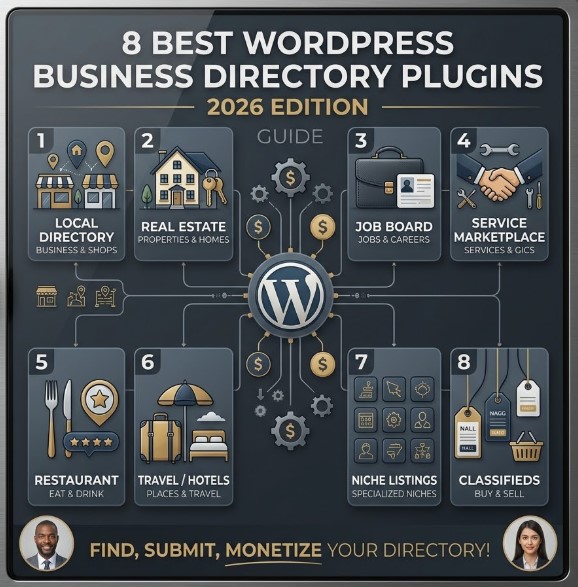
Building a business directory website with WordPress sounds simple at first. You install WordPress, choose a theme, add a few listings, and expect everything to work like a smaller version of Airbnb, Booking.com, Yelp, or Indeed. But once you start adding real functionality, the challenge becomes much bigger.
A proper directory website needs more than basic pages and contact forms. You need searchable listings, custom fields, location-based filters, user submissions, payment options, reviews, maps, membership plans, and a layout that still feels easy for visitors to use. Without the right plugin, managing all of this can quickly turn into a messy setup of disconnected tools, slow pages, and limited monetization options.
That is why choosing the right WordPress business directory plugin matters from the very beginning. The best plugin will not only help you publish listings, but also support the way your directory is supposed to grow — whether you are building a local business directory, a real estate portal, a job board, a service marketplace, a restaurant guide, or a niche listing website.
In this guide, we compare 8 of the best WordPress business directory plugins for 2026 based on their features, flexibility, pricing, monetization options, and ideal use cases. The goal is not just to list popular tools, but to help you understand which plugin actually fits your project, your budget, and your level of technical experience.
Top 8 WordPress Business Directory Plugins
1. HivePress
HivePress is one of the strongest WordPress business directory plugins for users who want flexibility without starting from a complicated setup. It is designed for building directory, listing, classified ads, and marketplace websites, making it suitable for projects such as local business directories, service marketplaces, job boards, real estate platforms, rental websites, staff directories, and niche listing portals.
The main advantage of HivePress is its modular structure. Instead of forcing you to install one large plugin packed with features you may never use, HivePress lets you build your directory around the exact functionality your website needs. This makes it a practical choice for beginners who want a clean start, while still giving developers enough room to customize and extend the platform.
Key features
Flexible custom fields and search filters. HivePress allows you to create custom fields for listings, user profiles, and categories, so each directory can be adapted to its niche. A restaurant directory, a freelance marketplace, and a real estate website all require different information, and HivePress gives you the tools to structure that data properly. Custom fields can also be turned into search filters, helping visitors narrow down listings by the criteria that matter most.
Modular extension system. HivePress is built around add-ons, which means you can expand your directory only when you need extra functionality. Extensions are available for features such as reviews, favorites, messages, geolocation, memberships, bookings, marketplace functionality, and more. This approach helps avoid unnecessary bloat and keeps the website easier to manage as the project grows.
Built-in monetization options. HivePress can support several monetization models for directory websites. Depending on the setup, you can charge users for submitting listings, promote featured listings, allow business owners to claim listings, sell membership plans, or build marketplace-style functionality. Payments are handled through WooCommerce integration, which gives access to a wide range of payment gateways.
Frontend user experience. HivePress allows users to register, submit listings, manage their profiles, and interact with listings from the front end of the website. This is important for any directory that relies on user-generated content, because contributors should not need access to the WordPress dashboard just to manage their listings.
Developer-friendly structure. For developers, HivePress offers a clean codebase, documentation, hooks, code references, REST API support, and a growing ecosystem of snippets and community resources. This makes it a good option if you want to build something more custom than a basic directory website.
Other useful features include:
- Listing categories and category-specific fields
- Ratings and reviews through an extension
- Geolocation and location-based search through an extension
- Private messages and favorites
- Official free and premium themes built for different directory models
- Integration with the WordPress block editor
- Translation support
- Community forum, documentation, tutorials, and developer resources
Pricing
The core HivePress plugin is free, which makes it a strong starting point for new directory projects. You can build a basic directory website without a large upfront investment, then add premium extensions or a dedicated theme when your project needs more advanced functionality.
At the time of writing, premium HivePress extensions are listed at $39 each, while official premium themes are listed at $89. However, pricing and licensing models can change, so it is always worth checking the official HivePress website before making a final decision.
Best for
HivePress is best for website owners who want a flexible, modern, and scalable WordPress directory plugin without committing to a heavy all-in-one system from day one. It is a particularly good fit for local business directories, service marketplaces, classified ads websites, job boards, real estate directories, rental marketplaces, and niche listing platforms.
It is also a strong choice if you want to start simple and expand later. Beginners can use the plugin with settings, themes, and extensions, while developers can go deeper with hooks, snippets, and custom integrations.
Read Also: Top 10 Best WordPress Plugins for 2025
2. GeoDirectory
GeoDirectory is one of the best WordPress business directory plugins for building location-based directories that need to scale. It is designed for projects such as local business directories, classified ads websites, job boards, real estate directories, restaurant guides, travel directories, and city portals where search, maps, locations, and structured listing data play a central role.
The main strength of GeoDirectory is scalability. While some directory plugins work well for smaller websites, GeoDirectory is built for projects that may grow into large directories with many listings, categories, locations, and search filters. This makes it especially useful if your goal is to build something closer to Yelp, Tripadvisor, a city guide, or a multi-location business directory.
Key features
Built for location-based directories. GeoDirectory is particularly strong when your directory depends on geography. You can use it for local directories, city guides, multi-location listing websites, classified platforms, and other projects where users need to search by place, distance, category, or service area. This makes it a better fit for map-heavy projects than many simpler directory plugins.
Scalable database structure. One of GeoDirectory’s biggest advantages is its optimized database architecture. According to the plugin’s official WordPress.org description, GeoDirectory is built to handle large-scale directories with millions of listings and high traffic. This is important if you are planning a long-term directory project and do not want to outgrow the plugin too quickly.
Drag-and-drop listing form builder. GeoDirectory includes a drag-and-drop form builder for creating frontend listing submission forms. You can add custom fields, structure listing information, and collect the details that matter for your niche. This is useful for directories where each listing needs more than a name, address, and phone number.
Theme and page builder compatibility. GeoDirectory is designed to work with popular WordPress themes and page builders, including Gutenberg, Elementor, Divi, Beaver Builder, Bricks, Breakdance, Astra, Kadence WP, Neve, and OceanWP. This gives website owners and developers more freedom to build the directory inside an existing WordPress design instead of being locked into one specific theme.
Monetization through add-ons. GeoDirectory can be extended with premium add-ons for paid listings, pricing plans, events, custom post types, advanced search, multi-location directories, claim listings, and other advanced features. This allows you to start with a simpler setup and add monetization or scale-focused functionality when the website is ready.
Other useful features include:
- Google Maps and OpenStreetMap support
- Frontend listing submissions
- Custom fields and custom post types
- Multi-location directory support through add-ons
- Reviews and ratings
- Badges to highlight selected listings
- Custom email templates
- SEO-friendly structure and compatibility with SEO workflows
- WPML compatibility for multilingual directory websites
Pricing
GeoDirectory has a free version available, which is useful for testing the plugin and building a basic directory. However, the free version is more limited if you need a multi-location directory, advanced monetization, custom post types, premium search options, or other professional features.
Premium access is available through GeoDirectory memberships, which include add-ons and themes. Since membership pricing and included features can change, it is best to check the official GeoDirectory pricing page before publishing final numbers in the article. :contentReference[oaicite:1]{index=1}
Best for
GeoDirectory is best for serious directory projects where locations, maps, search filters, and scalability matter. It is a strong choice for city guides, business directories, travel directories, restaurant directories, real estate portals, job boards, classified listings, and other listing websites that may grow over time.
It may be more than you need for a very small or simple directory. However, if you are building a directory website with long-term growth in mind, GeoDirectory is one of the strongest WordPress directory plugins to consider.
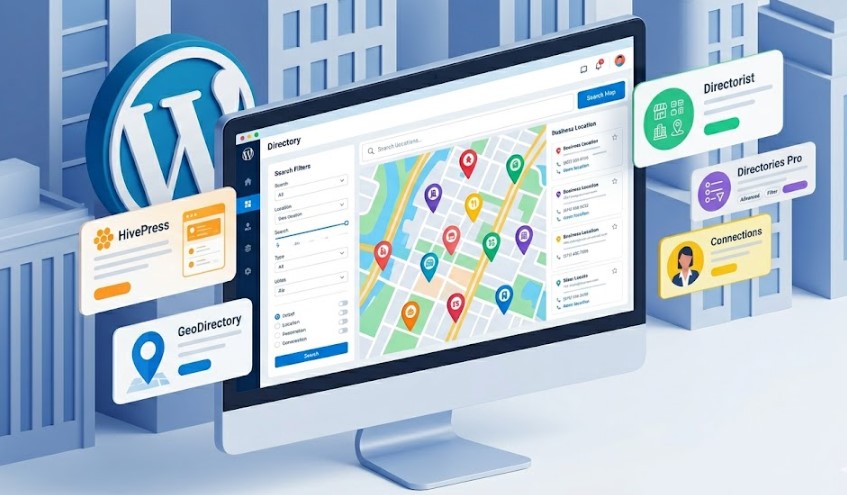
3. Directorist
Directorist is a powerful WordPress business directory plugin built for users who want to create a modern listing website without writing code. It can be used for many types of directory projects, including local business directories, classified ads websites, job boards, event directories, membership directories, service marketplaces, and real estate listing platforms.
What makes Directorist attractive is the balance between beginner-friendly setup and advanced directory functionality. You can start with a free version, build the basic structure of your directory, and then add premium features if your website needs more monetization, design, booking, or marketplace capabilities.
Key features
No coding required. Directorist is designed for users who want to launch a directory website without dealing with custom development. The plugin includes frontend listing submission, a user dashboard, listing management tools, and visual configuration options that make it easier to set up a directory directly from WordPress.
Unlimited custom fields. One of Directorist’s strongest features is the ability to create unlimited custom fields for listing forms. This means you can adapt listings to your niche instead of relying on a generic business profile layout. A real estate directory can include property details, a restaurant directory can include cuisine and price range, and a service directory can include availability, service areas, or pricing information.
Advanced search and filters. Directorist includes advanced search functionality that helps visitors find relevant listings faster. Users can filter results by categories, locations, tags, price range, custom fields, and other criteria depending on how the directory is configured. Location-based search, geolocation, and radius search are also available, making it useful for local directories and map-based listing websites.
Multi-directory support. Directorist supports multiple directory types from one WordPress installation. This is useful if you want to manage different listing categories with different submission forms, fields, layouts, or search options. For example, one website could include businesses, events, jobs, and service providers without forcing them all into the same structure.
Monetization options. Directorist can support several revenue models for a directory website. Depending on the setup and extensions you choose, you can offer paid listings, featured listings, claim listings, pricing plans, subscriptions, and other paid upgrades. This makes it suitable for directory projects that are expected to generate income rather than simply display information.
Other useful features include:
- Google Maps and OpenStreetMap support
- Frontend listing submission and user dashboard
- CSV import and migration tools
- Elementor and Gutenberg blocks
- RTL language support
- Translation plugin compatibility
- Review, rating, and listing interaction features depending on the setup
- Premium extensions for booking, live chat, social login, image galleries, pricing plans, and more
Pricing
Directorist has a free version that includes many core directory features, including unlimited listings, unlimited custom fields, advanced search, frontend listing submission, locations, categories, and map support. This makes it a strong option if you want to test a directory idea before paying for premium functionality.
Premium options are available for users who need more advanced features, extensions, or bundles. Since Directorist pricing and bundle structure can change, it is best to check the official pricing page before publishing final numbers in the article.
Best for
Directorist is best for users who want a feature-rich WordPress directory plugin that can grow beyond a basic listing website. It is a strong fit for local business directories, classified ads platforms, service marketplaces, job boards, event directories, real estate listings, and other projects where custom fields, advanced search, maps, and monetization are important.
It may not be the lightest option if you only need a very small static directory. However, if you want room to expand, add paid features, manage multiple directory types, and build a more interactive listing platform, Directorist is one of the strongest options to consider.
Read Also: WordPress Marketing Tools: How to Grow Traffic, Leads, and Sales
4. Business Directory Plugin
Business Directory Plugin is one of the more established options for creating a traditional directory website with WordPress. It is not trying to be the most modern marketplace builder or the most advanced developer framework. Instead, its strength is simplicity: it gives website owners the core tools needed to create, manage, search, and monetize directory listings without building everything from scratch.
This makes it a practical choice for classic directory projects such as local business listings, member directories, staff directories, restaurant guides, medical directories, hotel directories, review websites, and niche business catalogs. If your goal is to build a clear, searchable directory rather than a complex marketplace, Business Directory Plugin can be a reliable option to consider.
Key features
Free and paid listing submissions. Business Directory Plugin allows you to create both free and paid listing options. This is useful if you want to attract initial listings with a free plan, then offer premium placements, recurring subscriptions, or paid listing packages as the directory grows. For many directory websites, this is one of the most important monetization features.
Payment gateway support. The plugin supports monetization through popular payment gateways, making it possible to accept payments for submissions, upgrades, and recurring plans. This is especially important for directories that plan to generate revenue from businesses, professionals, service providers, or organizations that want visibility on the platform.
Directory templates and layout options. Business Directory Plugin includes layout and template options that help you adjust the way listings appear on your website. This gives you more control over the directory’s presentation without requiring a fully custom design from the start.
Search and listing management. The plugin includes the core functionality needed for visitors to browse and search listings. Site owners can manage listing fields, categories, and directory content from WordPress, which makes it suitable for straightforward business directory projects where ease of management matters more than complex marketplace logic.
Support and documentation. One of the benefits of choosing a long-standing directory plugin is access to documentation, setup guidance, and support resources. This can be especially helpful for website owners who are building their first directory and need a plugin that explains the basics clearly.
Other useful features include:
- Customizable directory fields
- Listing categories
- Ratings and reviews, depending on the plan or setup
- Google Maps support, depending on the plan or setup
- Claim listings functionality
- SEO-friendly directory structure
- Options for different directory layouts and templates
Pricing
Business Directory Plugin has a free version available, which can be enough for a simple directory or early-stage project. For more advanced features, paid plans are available. At the time of writing, third-party software listings show Business Directory Plugin pricing starting from $99 per year, but pricing can change, so it is best to confirm the latest plans on the official website before publishing or purchasing. :contentReference[oaicite:1]{index=1}
Best for
Business Directory Plugin is best for website owners who want a straightforward WordPress directory plugin for a traditional listing website. It is a good fit for local directories, professional directories, member directories, staff directories, restaurant guides, medical directories, and other structured listing projects where simplicity and reliability matter more than advanced marketplace features.
It may not be the most flexible choice for highly customized platforms, complex booking systems, or large-scale marketplace websites. However, for a classic business directory with paid listings, searchable profiles, and manageable setup, it remains a solid option.
5. Directories Pro
Directories Pro is a premium WordPress directory plugin for users who want a feature-rich solution without relying on a long list of separate add-ons. It can be used to build different types of listing websites, including local business directories, user directories, property directories, service directories, classified-style websites, and niche listing platforms.
Unlike some free directory plugins that require multiple paid extensions to unlock advanced functionality, Directories Pro is designed more like an all-in-one premium plugin. This makes it attractive for website owners and developers who prefer to pay once for a broader feature set and then configure the directory around their project needs.
Key features
Advanced search and filtering. Directories Pro includes an enhanced search experience with auto-suggest search and dynamic faceted filtering. This is especially useful for directory websites with many listings, categories, locations, or custom fields, because visitors can narrow results more precisely instead of browsing through long, generic listing pages.
Custom fields for different directory elements. One of the strongest parts of Directories Pro is how deeply you can customize directory data. You can add custom fields not only to listings, but also to categories, tags, locations, reviews, and claims. This gives you more control over how information is collected, displayed, and filtered across the site.
Customizable listing and content layouts. Directories Pro includes a drag-and-drop content display editor, allowing you to adjust how listings, reviews, categories, tags, and locations appear on the front end without writing code. This is helpful if you want a more tailored directory design but do not want to build custom templates from scratch.
Review and rating features. The plugin supports customizable review functionality, including multi-criteria ratings. This can be valuable for directories where trust and comparison matter, such as local service directories, restaurant guides, property listings, travel directories, or professional marketplaces.
Monetization through WooCommerce. Directories Pro supports WooCommerce integration, which can be used to charge users for submitting listings or adding paid directory features. It also supports guest checkout and can be extended with WooCommerce Subscriptions if your business model depends on recurring payments.
Other useful features include:
- Google Maps and OpenStreetMap support
- Frontend listing and review submissions
- Claim listings functionality
- Bookmarks for registered users and guests
- Custom fields for reviews, locations, categories, tags, and claims
- Compatibility with WooCommerce and WooCommerce Subscriptions
- Compatibility with SEO plugins such as Yoast SEO and Rank Math
- WPML support for multilingual directory websites
Pricing
Directories Pro does not have a free version. It is sold as a premium plugin through CodeCanyon, where the regular license has traditionally been listed at $39. Since marketplace pricing, licensing terms, and support periods can change, it is best to check the current CodeCanyon page before publishing final pricing in the article. :contentReference[oaicite:1]{index=1}
Best for
Directories Pro is best for users who want a premium directory plugin with many built-in features and a high level of customization. It is a good fit for projects where advanced filtering, custom fields, reviews, maps, and monetization are important from the beginning.
It may not be the best first choice for someone who wants a completely free starting point or a very lightweight setup. However, for developers and website owners who prefer an all-in-one paid plugin with strong configuration options, Directories Pro remains a solid option for WordPress directory websites.
Read Also: How to Build a WordPress Website: Complete Step-by-Step Setup Guide
6. Connections Business Directory
Connections Business Directory is a lightweight WordPress directory plugin for users who need a simple, flexible, and easy-to-manage directory rather than a large marketplace-style platform. It can be used to create a business directory, staff directory, member directory, address book, church directory, link directory, or other structured listing website.
The main advantage of Connections is its simplicity. While some WordPress business directory plugins focus on advanced maps, paid listings, bookings, and complex marketplace workflows, Connections is better suited for projects where the directory needs to be clean, organized, and reliable. This makes it a practical option for smaller organizations, associations, local communities, schools, nonprofits, internal teams, and simple business listing websites.
Key features
Simple directory structure. Connections is designed to help you create and manage structured entries without overcomplicating the website. You can use it for people, businesses, organizations, departments, members, or links, depending on the type of directory you want to build.
Flexible entry fields. The plugin allows you to store useful directory information such as names, addresses, phone numbers, emails, websites, social links, biographies, logos, images, and other contact details. This makes it especially useful for staff directories, member directories, professional listings, and local business catalogs.
Template-based display options. Connections includes basic templates and supports additional premium templates if you want more control over the way entries appear on the front end. This is useful if you want a clean layout but do not want to design every directory page manually.
Extension-based functionality. Connections follows a modular approach. The core plugin is free, and extra features can be added through extensions when needed. This allows you to keep the setup lightweight instead of installing a large plugin with many features your website may never use.
Developer-friendly customization. Connections offers hooks, templates, and customization options for users who want to adapt the directory more deeply. It is not as modern as some newer directory plugins, but it gives developers enough flexibility to adjust layouts and extend functionality for specific use cases.
Other useful features include:
- Support for staff, member, business, and address book directories
- Categories for organizing directory entries
- Free and premium templates
- Extension-based feature expansion
- Custom entry display options
- Import and export options through extensions
- Compatibility with many WordPress themes
Pricing
The core Connections Business Directory plugin is free. This makes it a good option if you need a basic directory and want to avoid a large upfront cost. Premium templates and extensions are available separately for users who need extra layouts or additional functionality.
Because pricing for individual extensions, templates, and bundles can change, it is best to check the official Connections website before publishing final pricing details in the article.
Best for
Connections Business Directory is best for simple and structured directory websites where ease of management matters more than advanced monetization or marketplace features. It works well for staff directories, member directories, association directories, church directories, school directories, local business lists, and internal contact directories.
It is not the strongest option if you need advanced geolocation, paid listing packages, booking functionality, or a large-scale classified ads platform. However, for a clean and lightweight WordPress directory, Connections remains a useful plugin to include in the comparison.
7. Classified Listing
Classified Listing is a WordPress plugin from RadiusTheme designed for classified ads websites, business directories, local listing platforms, real estate directories, car marketplaces, job boards, event directories, member directories, and service directories. It is a strong option if your project is closer to Craigslist, OLX, a local classifieds website, or a niche marketplace rather than a traditional company directory.
The main advantage of Classified Listing is that it combines directory functionality with classified ads features. This makes it useful for websites where users need to submit listings, manage ads, display prices, add locations, upload images, communicate with buyers, or promote listings for better visibility.
Key features
Classified ads and business directory support. Classified Listing can be used for more than one type of listing website. You can build a local business directory, a real estate directory, a car listing website, a job board, a service directory, or a general classified ads marketplace. This flexibility makes it useful for projects that need more than a simple business profile layout.
Drag-and-drop form builder. The plugin includes a drag-and-drop form builder that helps you create listing submission forms with custom fields. It also supports multi-directory setups, so you can create different forms for different niches, such as cars, real estate, services, jobs, or events. This is important when each listing type needs its own structure.
AI-assisted directory features. Classified Listing promotes AI-powered tools for generating forms and helping with listing content. According to the WordPress.org plugin description, it can work with AI services such as ChatGPT, Gemini, and DeepSeek when users add their own API keys. These features may help speed up listing creation and content management, although they should be checked against the latest plugin version before publication.
AJAX search and filtering. The plugin includes filtering options that help visitors browse listings by categories, location, tags, price range, and other criteria. This is especially useful for classifieds and marketplace-style websites where users often need to compare many listings quickly.
Map, location, and business details. Classified Listing supports location-based listing features, including maps, business hours, and social profiles. This makes it suitable for local business directories, service directories, store listings, and region-based classified websites.
Other useful features include:
- Frontend listing submission
- Custom fields for different listing types
- Multiple directory forms for different niches
- Business hours and social profile fields
- Elementor add-ons, Gutenberg blocks, and Divi modules
- Theme compatibility with standard WordPress themes
- Free themes and premium themes from RadiusTheme
- Payment and monetization options depending on the version or add-ons
Pricing
Classified Listing has a free version available on WordPress.org, which makes it possible to test the plugin and build a basic classified ads or business directory website before upgrading. Premium versions, add-ons, and compatible themes are available through RadiusTheme for users who need more advanced functionality, monetization options, design control, or niche-specific features.
Because pricing, bundles, and add-on availability can change, it is best to check the official Classified Listing or RadiusTheme website before adding final pricing details to the article.
Best for
Classified Listing is best for users who want to build a classified ads website, local marketplace, car listing platform, real estate directory, service directory, job board, or niche listing website. It is especially useful when your directory needs frontend submissions, custom fields, price-based listings, location filters, and marketplace-style browsing.
It may not be the best choice for a very simple staff directory or a lightweight internal contact list. However, for classifieds and user-submitted listing websites, Classified Listing is a more relevant and modern option than older basic directory plugins.
Read Also: How to Migrate a WordPress Website to a New Domain Without Losing SEO
8. Listdom
Listdom is a modern WordPress directory plugin for building business directories, classified ads websites, local listing platforms, store locators, and niche directory projects. It is a better fit for a 2026 comparison than older plugins that have limited activity, outdated interfaces, or unclear long-term support.
The main reason to consider Listdom is its focus on presentation. Many directory plugins give you the basic listing structure but require extra work to make the front end look polished. Listdom comes with a wide range of layouts and views, which makes it useful for website owners who want their directory to look more complete from the beginning.
Key features
Multiple listing layouts and skins. Listdom includes a large selection of responsive skins and views for displaying directory listings. This is useful if you want to present listings as grids, lists, maps, carousels, sliders, or other visual layouts without building every design manually. For directory websites where appearance matters, this is one of Listdom’s strongest advantages.
Directory and classifieds support. Listdom can be used for both business directory websites and classified ads-style listing platforms. This makes it suitable for local business catalogs, service directories, property listings, community directories, store locators, and niche listing websites.
Map and location features. The plugin supports location-based directory functionality, which is important for users who need to search listings by place or view businesses on a map. This makes Listdom useful for local directories, city guides, store locators, and regional business listing websites.
Frontend listing experience. Listdom is designed to help website owners manage and display listings in a user-friendly way. Depending on your setup and extensions, it can support frontend listing submission and structured listing management, which is important if users or businesses will add their own listings.
AI-focused features. Listdom also promotes AI-powered tools for directory and classified listing websites. This may be useful for users who want help with listing content, structure, or directory management, although these features should be checked carefully against the current version before publishing the final article.
Other useful features include:
- Responsive listing layouts
- Store locator-style directory views
- Classified ads listing support
- Map-based listing display
- Search and filtering options
- Compatibility with different WordPress themes
- Premium add-ons for more advanced directory functionality
Pricing
Listdom has a free version available on WordPress.org, which makes it possible to test the plugin before investing in premium functionality. Paid add-ons and premium options are available for users who need more advanced features, layouts, integrations, or monetization tools. Since pricing and package structure can change, it is best to check the official Listdom website before publishing final pricing details.
Best for
Listdom is best for website owners who want a visually flexible WordPress directory plugin for business listings, classified ads, local directories, store locators, or niche listing websites. It is especially useful if you care about how listings are displayed and want multiple layout options without creating everything from scratch.
It may not be the first choice for very large, highly customized directory platforms where scalability and developer architecture are the main priorities. However, for a modern-looking directory website with flexible listing layouts, Listdom is a strong plugin to include in the comparison.
Final Thoughts
Choosing the right WordPress business directory plugin depends on the type of platform you want to build. A small local business directory, a classified ads website, a real estate portal, a job board, and a service marketplace all need different features. Some projects require advanced maps and location filters, while others need paid listings, frontend submissions, reviews, memberships, or strong customization options.
If you want a flexible starting point, HivePress is one of the best all-around choices. If your directory is built around locations and maps, GeoDirectory is a stronger option. Directorist works well for feature-rich listing websites, while Business Directory Plugin and Connections Business Directory are better suited for simpler, more traditional directory projects. For classified-style platforms, Classified Listing and Listdom are also worth considering.
Before making a final decision, think about your long-term goals. Will users submit their own listings? Do you need payment plans or subscriptions? Will the directory cover one city or many locations? Do you need custom fields, reviews, advanced search, or map-based browsing? The best WordPress business directory plugin is not always the one with the longest feature list. It is the one that fits your business model, your budget, and the way your website is expected to grow.
If you are planning to build a directory website for your business, Sodiko can help you choose the right technical approach and turn the idea into a stable, scalable platform. Whether you need custom Web Development or ongoing Website Maintenance, working with an experienced team can save time, reduce technical risks, and help your directory perform better from the start.